
You're 3 demos away from closing the month at goal. Pipeline grew +₹4.2L in the last 7 days.
Email Campaigns
Every agent runs its own outreach loop — discover, qualify, email, follow up. Move leads through the funnel and watch the sprint live.
sent
booked
Send calendar
Every scheduled email send across active drip segments. Sweeper drains the queue every 5 min; quiet hours (10pm–8am IST) auto-enforced.
| Time | Segment | Prospect | Subject | From | Status |
|---|
Recipient groups
—Prospects
Every LinkedIn lead PhewDo has touched, scored by our Bayesian + LLM qualifier.
AI Inbox
Unified inbox grouped by agent — every reply, every stage. Drafts ready for one-click send.
Open a thread to see the full conversation
Sequence Builder
6-stage conversation flows with branching, AI rewrites, and live preview. Drop steps, set rules, ship.
Analytics
Drill into every channel, agent and segment. Compare periods, find lift, save views.
Automated LinkedIn
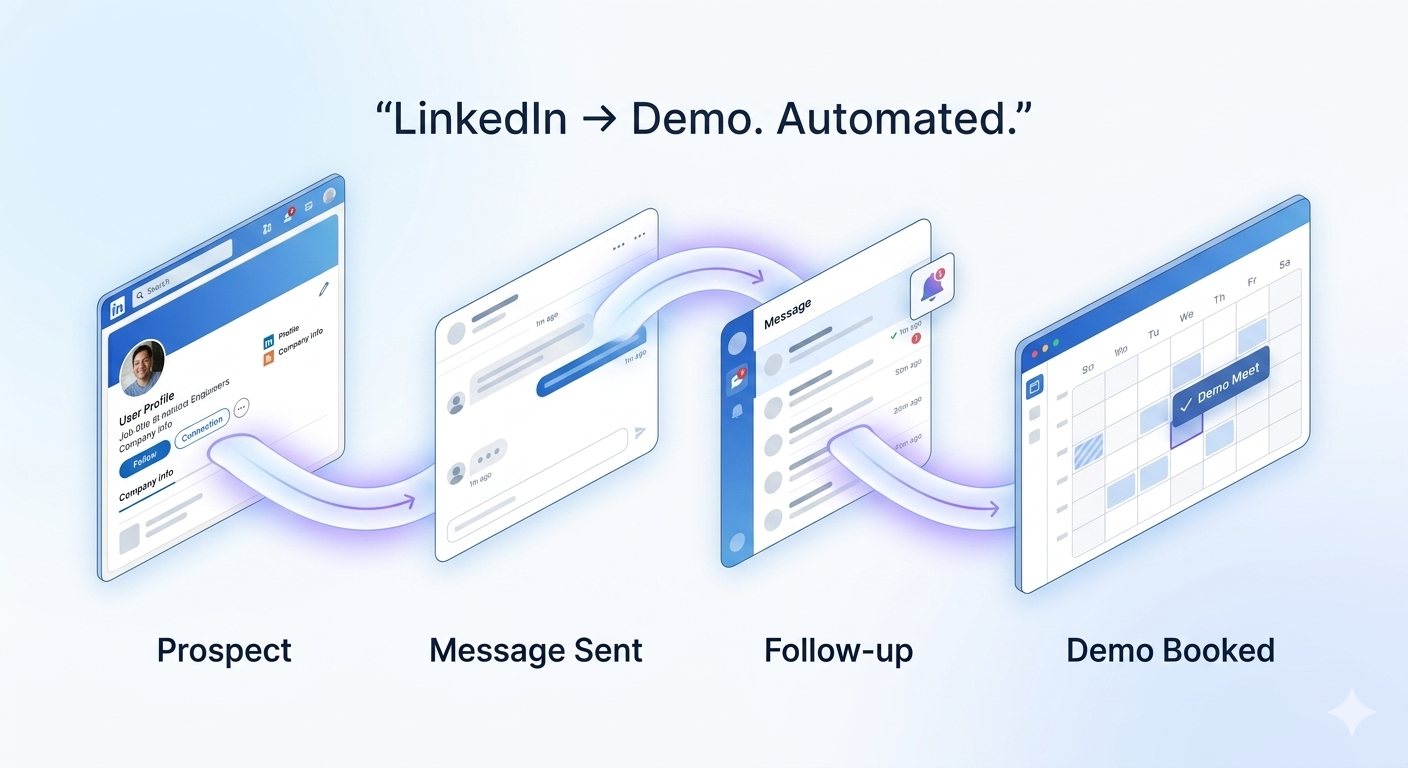
Just tell the AI what you want. It builds the search, writes the 6-stage flow, sets safe throttles and launches.
| Campaign | Status | Reached | Accepted | Replied | Booked | SSI |
|---|
How your autopilot runs
Content Brain
Templates, snippets, tone profiles and AI rewrites — all in one library.
Coming up next
The Content Brain re-uses the Sequence Builder system: same blocks, same rewrites, but stored as reusable snippets.
Send calendar
Every scheduled email send, follow-up, A/B drop and pause across all campaigns. Drag any block to reschedule. Quiet hours auto-enforced.
| Time | Campaign | Step | Audience | Channel | Variant | Status |
|---|
Meetings & demos
All Cal.com bookings · auto-recorded + AI summary via PhewDo extension.
Team access
Invite teammates with role-scoped access. Owners control everything; Users do all the work except billing; Agents only see their own data.
Roles guide
Modules marketplace
Pluggable channels, CRMs and enrichment connectors. Toggle on, configure once, route from any campaign.
My modules
0Sequence Builder
6-stage conversation flows with branching, AI rewrites, and live preview. Drop steps, set rules, ship.
218 prospects · last refreshed 12 min ago
| Name | Key | Scopes | Last used | Status |
|---|
Settings
Workspace, billing, LinkedIn credentials, API keys.
Settings hub
Tabbed: Workspace, Team, Billing, LinkedIn, Integrations, Notifications, Danger zone.
Plan usage
Live counters refreshed every minute — reflects every add-on baked into your plan.
Subscription & billing
Manage your plans, add-ons and invoices.
| Date | Plan | Cycle | Amount | Status | Payment | |
|---|---|---|---|---|---|---|
| Loading… | ||||||
Your profile
How PhewDo presents you on emails and LinkedIn. Tone, signature, schedule, and identity.
Swathi · Mid-market SaaS
Owns Mid-market SaaS founders in India. Discovers, qualifies, emails, follows up. 24/7.
| Prospect | Score | Stage | Last touch | Sent |
|---|
Support
Questions, billing, or special requests — our team replies right here.
Help & docs
Searchable reference · developer API · MCP server · connector modules · plan & security guides.
Quick start
- Create your first agent. Sidebar → Email Campaigns → Agents → New agent. Pick a persona, language, and audience filter.
- Import or discover prospects. Use Prospects → Import CSV, or ask PhewDo:
"Find 200 fintech founders in UAE". - Write a drip. Open Drip sequences, click New sequence. PhewDo can draft all 4 steps for you.
- Connect a sending domain. AI Inbox → Setup → Domain. We auto-issue SPF/DKIM and warm it for 14 days.
- Launch. Toggle the agent ON. Sends start in the next 5-minute sweeper window.
Agents
Agents run independently. Each agent owns: a persona, a target ICP, its own drip sequences, a sending mailbox, and an inbox view. Reply detection pauses sends per-prospect automatically.
Prospects
Three ways to add prospects: CSV import (with field mapping), discovery (LinkedIn + web search), or via the API. Every prospect is enriched (verified email, mobile, role, company size) before it enters a drip.
- Tags & segments for any-size list
- Bounce-protection: invalid emails auto-suppressed
- Per-agent prospect pool, no overlap
Drip sequences
A drip is a sequence of 1–10 steps with configurable delays. Quiet hours (default 10pm–8am IST) are enforced globally. Variants enable automatic A/B winners.
REST API
curl https://api.phewdo.com/phewdo-api \
  -H "Authorization: Bearer phw_live_..." \
  -H "Content-Type: application/json" \
-d '{"action":"get_agents"}'Every request is a POST to /phewdo-api with a JSON body of the form {"action":"…", …params}. Replies are JSON {"ok":true, …}. The same dispatcher serves the dashboard — anything you can do in the UI maps to one action.
What you can do with this key
The key (and the MCP server backed by it) lets your AI or your scripts do anything a logged-in user can do in the dashboard — read data, push prospects, build drips, send emails, manage audience, draft replies. Everything that mutates billing, credentials, plan, or platform settings is locked away.
- List, create, edit, and tune AI sender agents
- Read and push prospects (single or bulk, up to 1,000/req)
- Update prospect fields — stage, deal value, score, remarks
- Discover new prospects via Apollo or ICP keyword search
- Build multi-step drip sequences from a brief, enroll prospects
- Generate, draft, and send tracked emails through your warmed-up domains
- Read the AI Inbox — threads, intents, suggested replies
- Chat with PhewDo (the planning assistant grounded in your live data)
- Manage audience contacts + segments (CSV, filters, tags)
- Read meetings + AI-generated summaries
- Read the dashboard KPIs, event log, send calendar
- Change or cancel your subscription / plan
- Add or remove payment methods
- Save or rotate integration credentials (Resend, Apollo, Cal, etc.)
- Generate, list, or revoke API keys (those stay in the dashboard)
- Change your password, email, or profile structural fields
- Provision mailbox domains or auto-edit your DNS
- Call any
admin_*action (returns403) - Exceed 60 calls/min or 5,000 calls/day per key (returns
429) - Access another user's data — keys are scoped to your account only
Rule of thumb — if the action would cost money or change your account's identity, it's locked to JWT (i.e. you logging into the dashboard). Everything else is fair game for keys.
Full action catalogue
get_agents · create_agent · update_agentList + create + tune AI sendersget_prospects · add_ai_email_prospect · update_prospect · bulk_update_prospectsRead / push / edit prospectsapollo_find_prospects · find_prospects · apollo_bulk_enrichPull new prospects from Apollo or ICP searchlist_drip_groups · save_drip_group · drip_enroll_prospects · drip_ai_generate_journeyBuild drips and enroll prospectssend_ai_email · bulk_send_ai_email · send_tracked_email · generate_ai_emailQueue or send emailget_inbox_threads · get_inbox_thread · shreeos_chat · mark_readRead the inbox and chat with PhewDoaudience_list_contacts · audience_create_segment · audience_add_to_segment · audience_segment_contactsManage audience + segmentsget_meetings · get_phewdo_meetingsRead booked meetings + AI summariesget_dashboard_summary · get_event_log · get_funnel_countsKPI / activity readsadmin_*, create_subscription, change_plan, save_integration, create_api_key, change_password, anything that mutates billing/auth/credentials. These return 403 with the disallowed-action message.Response codes
{"ok":true, …}Success. Payload depends on the action.{"error":"Unauthorized"}Missing, malformed, expired, or revoked key.{"ok":false,"error":"API access requires…"}Your plan doesn't include API access. Upgrade to AI Inbox Business or Enterprise.{"ok":false,"error":"Action … is not available to API keys"}Action is outside the key allow-list (billing / admin / credentials).{"ok":false,"error":"Unknown action: …"}Typo in action — check the catalogue above.{"ok":false,"retry_after_seconds":N}Rate-limited. Honor Retry-After header.{"ok":false,"error":"…"}Server-side error. Safe to retry with backoff.MCP server
The MCP server speaks the standard Model Context Protocol (Streamable HTTP). Authenticated with your API key — same one you use for REST. Connect once, your AI gets PhewDo as native tools.
Connect from Claude Desktop / Claude.ai / Cursor
{
  "mcpServers": {
    "phewdo": {
      "url": "https://mcp.phewdo.com/mcp",
      "headers": {
        "Authorization": "Bearer phw_live_..."
      }
    }
  }
}
Step-by-step setup
Pick your client and follow the 3 steps. The same key works in all of them.
- Open Claude Desktop → Settings → Developer → Edit Config. The file is
~/Library/Application Support/Claude/claude_desktop_config.json(macOS) or%APPDATA%\Claude\claude_desktop_config.json(Windows). - Paste the snippet below into the file. If you already have other
mcpServers, just add thephewdoentry alongside them. - Replace
phw_live_…with the key you generated above, then quit and relaunch Claude Desktop. The PhewDo tools appear under the 🛠 hammer icon in the prompt bar.
{
  "mcpServers": {
    "phewdo": {
      "url": "https://mcp.phewdo.com/mcp",
      "headers": {
        "Authorization": "Bearer phw_live_..."
      }
    }
  }
}
Verify: in Claude, ask "What PhewDo tools do you have?" — Claude should list 15 tools starting with list_agents.
Tools your AI gets (15 total)
list_agentsYour senders with status, daily cap, prospect countslist_prospectsFilter by stage / score / agent / pipelineadd_prospectPush a single prospect (name + company + email)update_prospectEdit stage, deal value, score, remarks on a prospectfind_prospectsICP search → returns candidates ready to enrollapollo_find_prospectsPull from Apollo by industry / keywords / sizelist_dripsDrip sequences with step bodies and metricscreate_dripGenerate a multi-step drip from a natural-language briefenroll_in_dripAdd prospects to a sequencelist_inboxOpen conversations + last AI replyget_threadFull thread, intent, suggested replysend_emailSend a tracked email through one of your agentslist_meetingsBooked meetings + AI summariesget_dashboard_summaryKPI tiles — sends, opens, replies, bookings, pipeline ₹shreeos_chatPlain-English chat with PhewDo's planning assistantmcp.phewdo.com/tools.json returns the live tool list (no auth needed — handy for sanity-checking connectivity).
Key rotation & revocation
- Lose a key? Revoke it from this page (any active key has a button). Revocation is instant — the next call returns
401. - You can hold multiple keys at once — one per integration (Claude Desktop, n8n, scripts) makes audit trails easier.
- Keys are stored hashed with bcrypt — even we can't read your token back. The plaintext is shown once at creation. Save it in a password manager.
- Plan-gating is enforced on every call — if you downgrade below AI Inbox Business your keys start returning
402until you upgrade again.
Webhooks
Add a webhook URL in Profile → Webhooks. We POST a signed JSON payload on every event. Retries use exponential backoff for 24 hours.
Event types
send.deliveredEmail accepted by recipient serversend.openedTracking pixel hitsend.clickedTracked link clickedsend.bouncedHard/soft bounce (auto-suppressed if hard)reply.receivedInbound reply parsed & intent-scoredmeeting.bookedProspect picked a slotmeeting.completedAI summary + transcript readyRate limits
- 60 requests / minute per API key
- 5,000 requests / day per API key (rolling 24h window)
- 1,000 prospects per bulk-insert call
Every response carries: X-RateLimit-Limit-Minute, X-RateLimit-Limit-Day, X-RateLimit-Remaining-Minute, X-RateLimit-Remaining-Day. When you exceed a window you get 429 with a Retry-After header (seconds) and JSON body {"ok":false,"retry_after_seconds":N}.
Need more? Enterprise plans get custom limits — email hello@phewdo.com.
CRM module
Connect from Modules → CRM. Maps prospect fields, mirrors deal stages, and pushes replies as notes. Supports webhook triggers + bulk sync.
- Bidirectional prospect ↔ contact sync
- Custom field mapping with type validation
- Stage-based automations (e.g. "moved to Qualified → start drip")
Email delivery
- Auto-configured authentication on every domain
- Per-mailbox daily caps, throttling, quiet hours
- Open + click + bounce tracking via signed webhook events
- Reputation monitoring with daily health score
Prospect search
Search by company size, industry, geography, role, tech stack, or natural-language ICP. Results are deduped, enriched (email, mobile, LinkedIn URL), and verified before they hit your pipeline.
Meetings & AI notes
- Per-agent booking pages with custom availability
- Auto-generated video link on confirmation
- Live transcription & speaker diarization
- Post-call AI summary, action items, CRM-ready notes
Bulk SMS & WhatsApp
Same drip engine, different rails. Per-region sender pools, template approval workflow, link tracking on shortened URLs.
Storage & files
Voice & transcripts
Billing & plans
- 3-day free trial · no card required
- Upgrade/downgrade prorated to the day
- Add-ons: domains, mailboxes, drip packs, meeting booker, AI replies
- Invoices auto-issued; tax fields configurable in Profile → Billing
Security
- TLS 1.3 everywhere, AES-256 at rest
- Per-workspace row-level isolation
- SOC 2 Type II in progress · GDPR & DPDPA compliant
- SSO (SAML/OIDC) on Enterprise
- Audit log of every config change & API call
FAQ
Can I bring my own SMTP / sending infrastructure?
Yes — on Business and above. Connect from AI Inbox → Setup → Custom relay.
How long is the trial?
3 days, no card required. After trial, choose any plan or stay on Free.
Where is data stored?
India (Mumbai region) by default. Enterprise can elect EU / US regions.
How do I cancel?
Subscription → Cancel plan. Access continues to the end of the cycle.
Audience library
Upload contact files, tag them, organise into exclusive segments. One contact can sit in only one segment at a time.
Accounts
Industry → company → people. Enrich a company once; message every employee with account context.
Automations
Describe what you want in plain English — PhewDo designs the flow, asks for what it needs, and runs it.